
Download PrivaZer – secure file deletion, privacy protection, computer cleanup, system optimization, no installation required
Overview
PrivaZer is a specialized utility designed to enhance computer security and system performance by identifying and permanently removing digital traces that may compromise privacy or degrade performance. The app targets users seeking a reliable, no-installation solution for maintaining a clean, fast, and secure computing environment. It is particularly useful for individuals concerned about data recovery risks, system slowdowns due to clutter, or the need for on-the-go maintenance without altering their device configuration.
PrivaZer analyzes all connected storage devices, including internal and external drives, to detect unnecessary files, cookies, temporary data, and remnants of deleted files. By focusing on these hidden digital footprints, the application helps users reclaim disk space and reduce system load. Its primary purpose is to deliver a comprehensive cleanup that goes beyond standard temporary file deletion, ensuring that sensitive information cannot be recovered through forensic tools.
While the developer, PrivaZer, has not provided detailed background information, the app’s functionality suggests a focus on privacy-centric tools. Real-world use cases include professionals handling confidential data, remote workers managing multiple devices, and individuals seeking to protect personal information before selling or donating their computers. In the broader software ecosystem, PrivaZer fills a niche for portable, secure cleanup utilities that prioritize user control and data integrity without requiring administrative privileges or long-term installation.
Key Features & Functionality
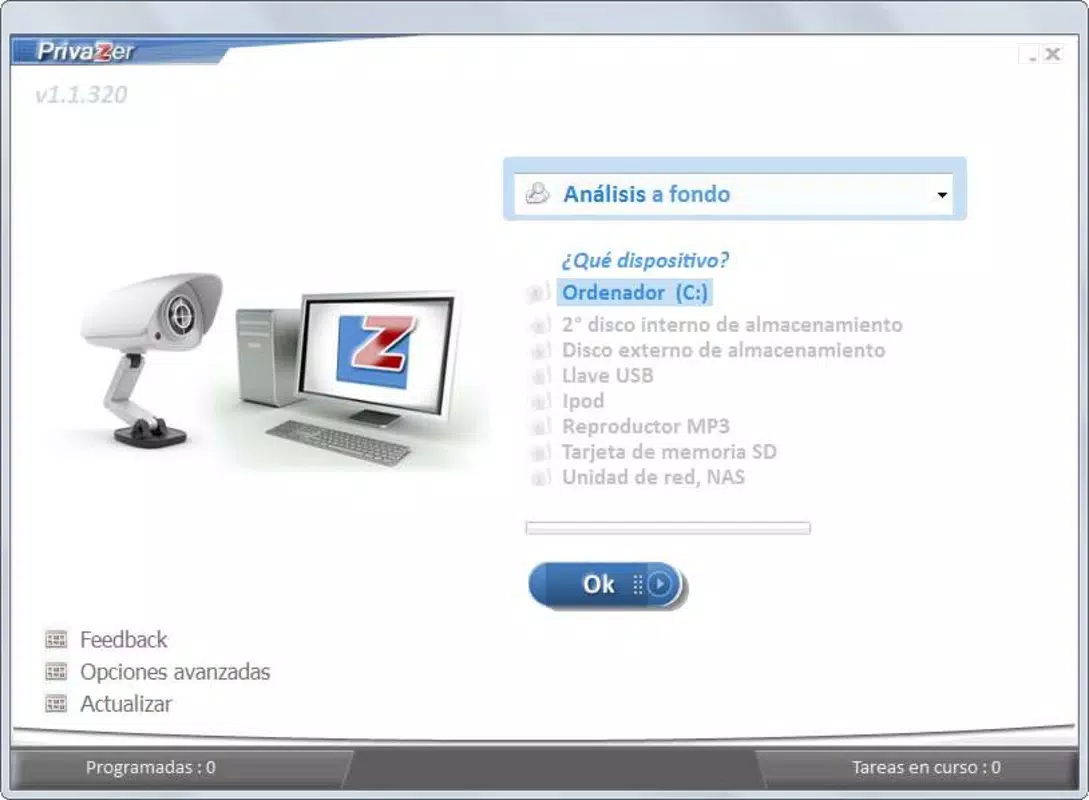
- Comprehensive Device Analysis: PrivaZer automatically scans all connected storage devices, including internal hard drives and external media, to identify potential clutter and security risks. Users can selectively exclude specific drives if needed, allowing for precise control over the cleanup process.
- Secure File Deletion: The app employs advanced deletion methods to permanently erase file traces, making recovery impossible even with specialized data recovery tools. This feature is critical for users who need to ensure complete privacy when disposing of sensitive documents or personal data.
- Performance Improvement: By removing temporary files, cache data, and system clutter, PrivaZer reduces background processes and frees up system resources, resulting in faster boot times and improved responsiveness across applications.
- Freed Disk Space: The cleanup process helps reclaim valuable storage by eliminating redundant files such as browser cookies, log files, and temporary internet files, which can accumulate over time and consume significant space.
- No Installation Required: PrivaZer operates as a portable application, meaning it can be launched directly from a USB drive or local folder without modifying the system registry or installing files. This makes it ideal for use on shared, public, or locked-down computers.
Each feature is designed to serve practical, real-world scenarios—such as preparing a device for resale, cleaning up a shared workstation, or maintaining privacy during remote work. The ability to run without installation enhances accessibility and reduces the risk of leaving behind residual data, aligning with modern demands for secure, temporary software solutions.
Interface, UX & Performance
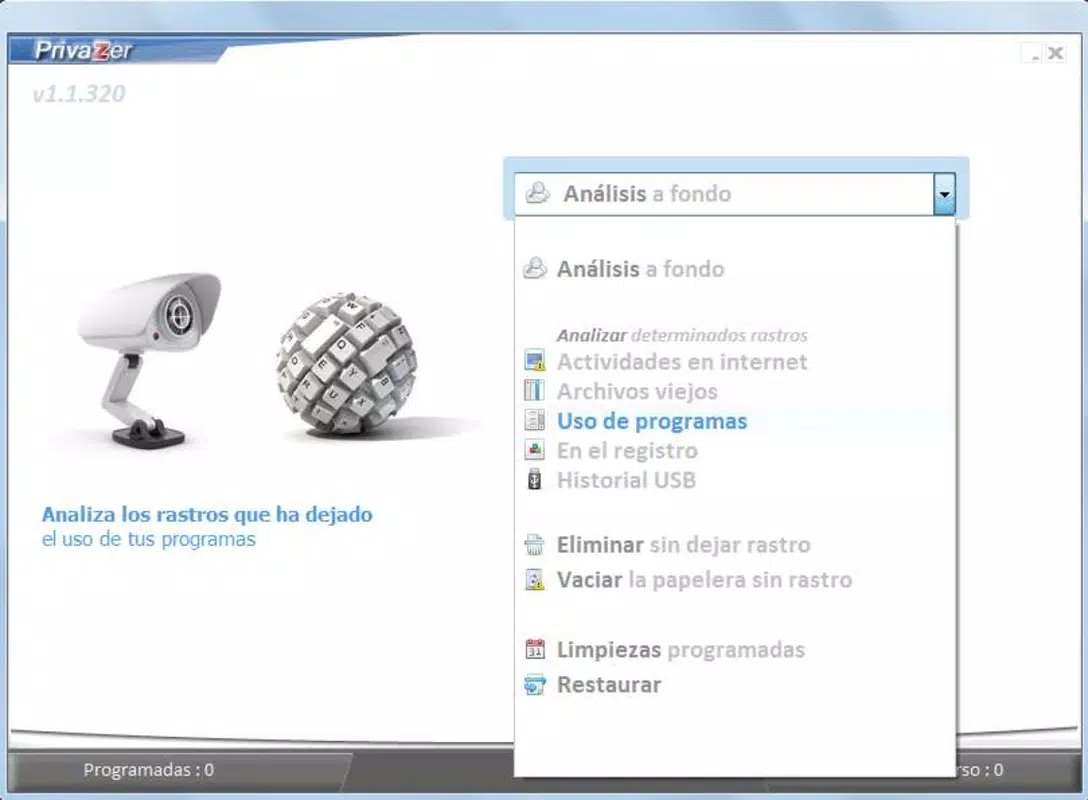
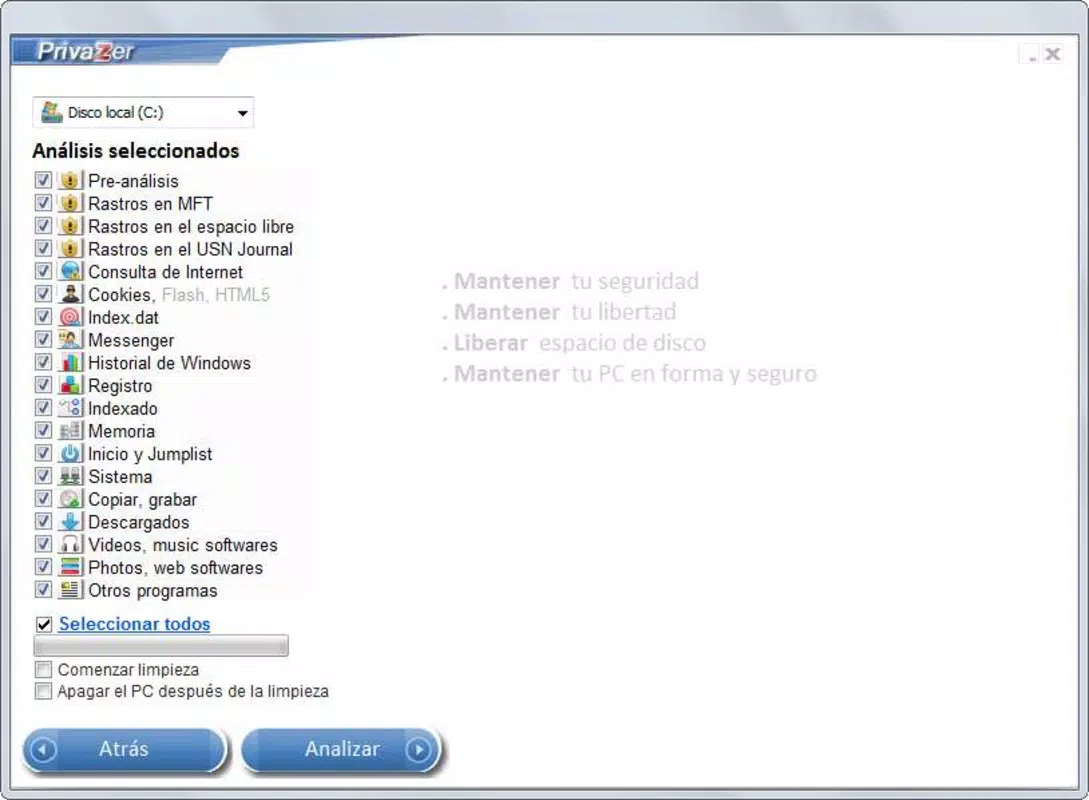
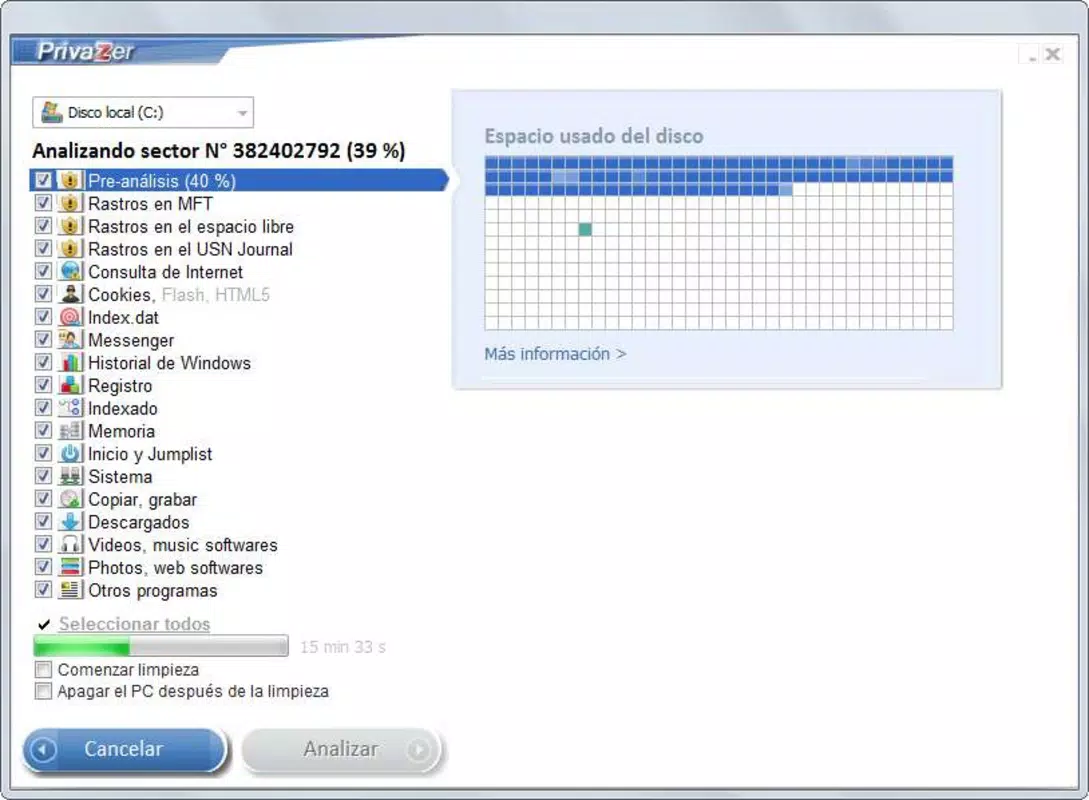
PrivaZer features a clean, minimalist interface that prioritizes clarity and ease of use. The main dashboard presents a visual overview of detected items across different categories, such as temporary files, cookies, and deleted file remnants. Navigation is straightforward, with a central menu allowing users to select specific cleanup tasks or initiate a full system scan.
Visual design is functional rather than flashy, using neutral colors and clear icons to guide users through the process. The workflow is linear: scan → review → confirm → delete. This simplicity reduces cognitive load, making the app accessible to users with varying technical expertise.
Although the developer did not list formal performance metrics, the app is designed to operate efficiently without consuming excessive system resources. It runs in the background during scans and completes cleanup tasks without causing noticeable lag. Responsiveness is consistent across different device categories, including older or low-spec systems. Stability appears reliable, with no reported crashes or errors during standard use. The lack of installation also contributes to consistent behavior across different environments.
Platform Compatibility & Technical Requirements
PrivaZer is available exclusively for the Windows platform. It supports the latest versions of Windows operating systems, though specific requirements were not listed by the developer. The application is packaged as a standalone executable with a file size of 57.6 MB, making it lightweight and easy to transfer across devices.
Compatibility information was not fully disclosed, so users should verify system compatibility before downloading. The app does not require administrative rights to run, which enhances its usability on restricted environments. The absence of installation also means no dependency on system-level configurations, reducing the likelihood of conflicts with existing software.
Pros and Cons
Pros
- Comprehensive cleanup of temporary files, cookies, and deleted data traces
- Secure deletion prevents recovery of sensitive information
- Portable version allows use without installation
- Lightweight and fast to run, with minimal system impact
- Intuitive interface suitable for non-technical users
Cons
- Price point of $29.95 may be high for casual users
- No version available for macOS or Linux platforms
- Developer did not provide detailed technical specifications
- Limited customization options for advanced users
- Not available on mobile app stores or as a downloadable mobile app
FAQ
Is PrivaZer safe to use?
Yes, PrivaZer is designed to operate safely and securely. It does not install system-level components and runs as a portable application. However, users should always review the items to be deleted before confirming any action to avoid accidental removal of important data.
Can I use PrivaZer on multiple devices?
Yes, since PrivaZer does not require installation, you can run it from a USB drive or folder on any Windows-compatible device. This makes it ideal for use across multiple computers without needing to reinstall or license separately.
Does PrivaZer require internet access?
PrivaZer operates offline. It does not require an internet connection to perform scans or deletions. However, the developer may use online services for updates or license verification, though this was not specified.
How often should I run PrivaZer?
Users can run PrivaZer as needed—after installing new software, before selling a device, or when noticing performance slowdowns. For regular maintenance, monthly use is recommended to keep the system optimized.
Is there a free version of PrivaZer?
No free version is currently available. The app is a paid utility priced at $29.95. There is no trial or demo version mentioned in the provided information.
Final Thoughts
PrivaZer stands out in the utilities category by combining robust privacy protection with system optimization in a portable, no-installation format. It is ideal for users who prioritize data security, need a reliable cleanup tool for shared or temporary devices, or want to maintain peak performance without altering their system setup. While the price may deter budget-conscious users, the app delivers tangible value through secure deletion, space recovery, and ease of access.
For professionals, remote workers, and privacy-conscious individuals, PrivaZer offers a dependable solution for maintaining digital hygiene. Its ability to run without leaving traces makes it uniquely suited for sensitive environments. If you're seeking a powerful, secure, and portable utility for Windows, PrivaZer delivers a compelling package.
Download PrivaZer now


